Big expenses shouldn’t be surprise expenses.
Some of it is wearing out: the roof, the car, the laptop. Some of it is still ahead: a wedding, a new baby, a big trip. Budget Forecast turns the whole picture into one simple monthly savings number, a sinking fund for everything you own and everything you’re planning, so the money is already there when the day comes.
Free to use · No account, no bank linking · Works on every device
Three steps to one monthly number
Forget the spreadsheets and the rules of thumb. Pick what you’re planning for, say when it’s due, and you get one monthly amount that keeps every expense on schedule.
Pick what you own
Check off your home’s components: roofing, HVAC, windows, decks, appliances, and more. Typical replacement costs are already filled in.
Say how much life is left
A ten-year-old furnace isn’t a new one. Set the years remaining and the planner builds your real replacement timeline, then keeps it counting down on its own.
Save one monthly amount
Get a single monthly target that covers every replacement on time. It’s a sinking fund for everything on your list, with charts, a year-by-year plan, and a printable summary.
Here’s the math: a $12,000 roof due in nine years is about $111 a month starting today. Wait four years, and the same roof needs about $200 a month. Starting early is the whole trick.
New baby, new business, new project.
Describe it in plain words and Budget Forecast drafts a plan to review. It isn’t just for what’s already in your house: a due date, an opening day, a deadline. If it has a cost and a date, it can build a sinking fund for it.
See your whole plan in one place
Keep a separate budget for the house, the car, the dog, the next big trip. The Household view rolls them all into one monthly number and shows the big expenses coming due across everything you own.

One combined number
Every budget you keep adds into a single monthly set-aside, so you always know the household total at a glance.
The next six months
A rolling outlook shows what’s coming due across every budget, month by month, before it lands.
A budget for it all
The house, the car, the pet, the next trip: each is its own plan, and they all live in one place.
A live summary for every budget
Open any budget and you get its own report: your monthly number, a projected balance chart, where the money goes by category, and exactly when the big expenses land. It updates the moment you change anything, and you can print it or export to CSV.
- ✓Your monthly number, updated live
- ✓A projected balance chart and a year-by-year plan
- ✓Category breakdowns, print, and CSV export

See exactly when the money goes out
Clear, honest charts instead of a wall of numbers. You get a projected balance line, a breakdown of where your monthly money goes by category, and a year-by-year view of the big expenses, so nothing catches you off guard.
- ✓Projected savings balance over the years ahead
- ✓Where your monthly money goes, by category
- ✓When the big expenses hit, year by year

Every upcoming expense on one calendar
See what’s due this month, next month, and years out, across every budget you keep. Overdue items pin to the top, so nothing quietly slips past you.
- ✓One shared calendar across all your budgets
- ✓Overdue expenses pinned up top
- ✓Tap any expense to jump to its budget

A record of what you’ve already replaced
Mark something done, note what it really cost, and Budget Forecast keeps a dated history for each budget. Compare real spending against the plan, and the timeline resets itself for next time.
- ✓Log the real cost, not just the estimate
- ✓A dated history, grouped by year
- ✓Recurring timelines reset on their own

A budget for everything that wears out
Start with your home, then add a budget for anything with big, lumpy, save-ahead expenses. Each one comes pre-loaded with typical components and costs. Need something we don’t cover? Build your own.
Home
Roof, HVAC, windows, decks, appliances
Vehicle
Tires, brakes, battery, the car itself
Tech
Phones, laptops, TVs, gaming, networking
Pet
Vet care, grooming, gear, licensing
Travel
Trips, holidays, milestones, luggage
Build your own
A custom budget type with your own categories and colours
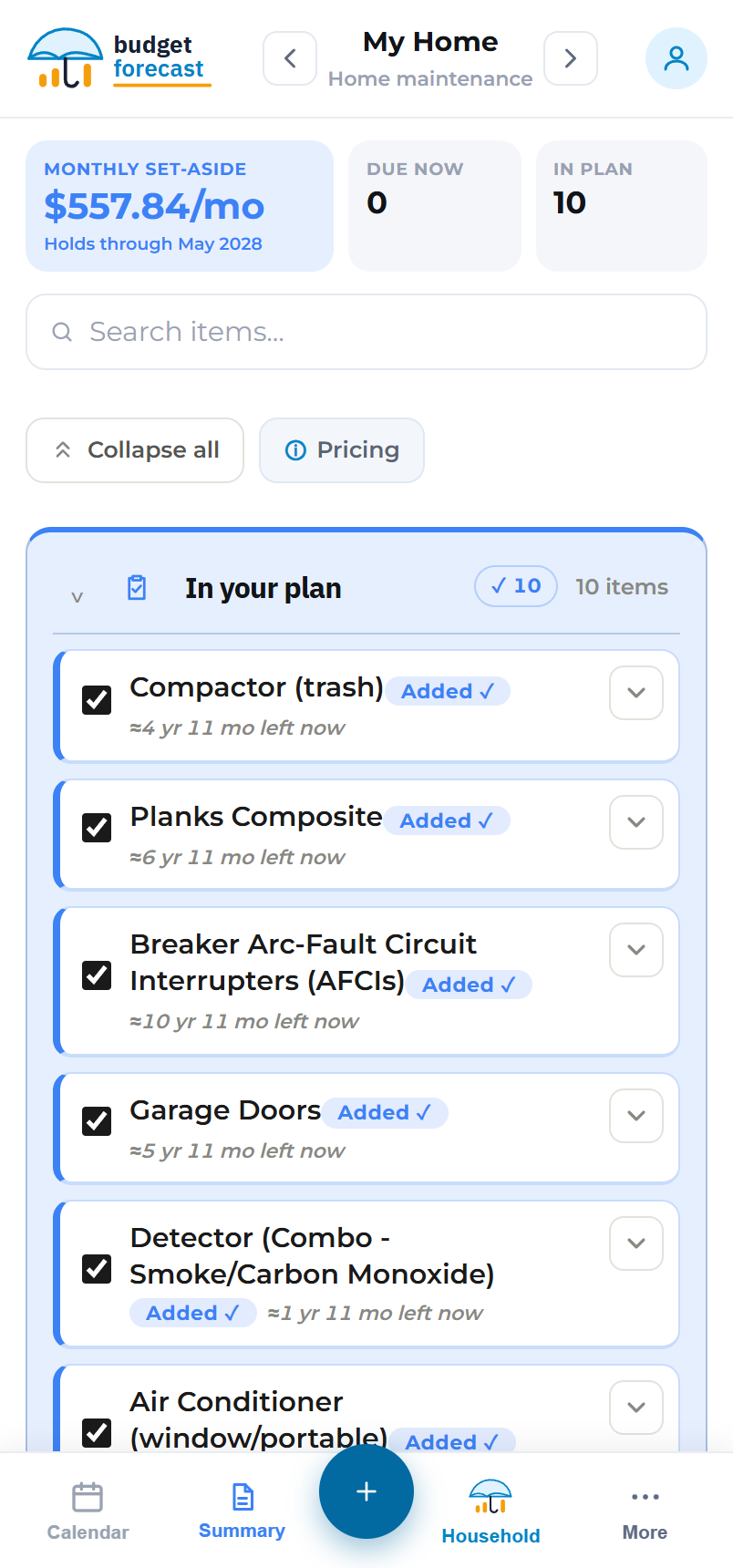
Plan from the couch, the kitchen, or the car
- ✓Free to use, with no sign-up wall or trial clock
- ✓Works on your phone, tablet and desktop
- ✓Your plan stays on your device until you decide otherwise
- ✓AI-assisted setup and custom budget types when you need them
- ✓Adjusts for inflation, and prints or exports a plan you can keep
Want your plan on every device? Make a free account and it syncs automatically. You can sign up with email or with your Google account, which we use only to sign you in. Your budget data is stored with your account and never sold or shared; the details are in our Privacy Policy.
Start your plan in five minutes
Open the planner, check off what you own, and see your monthly number today.
Open the planner →